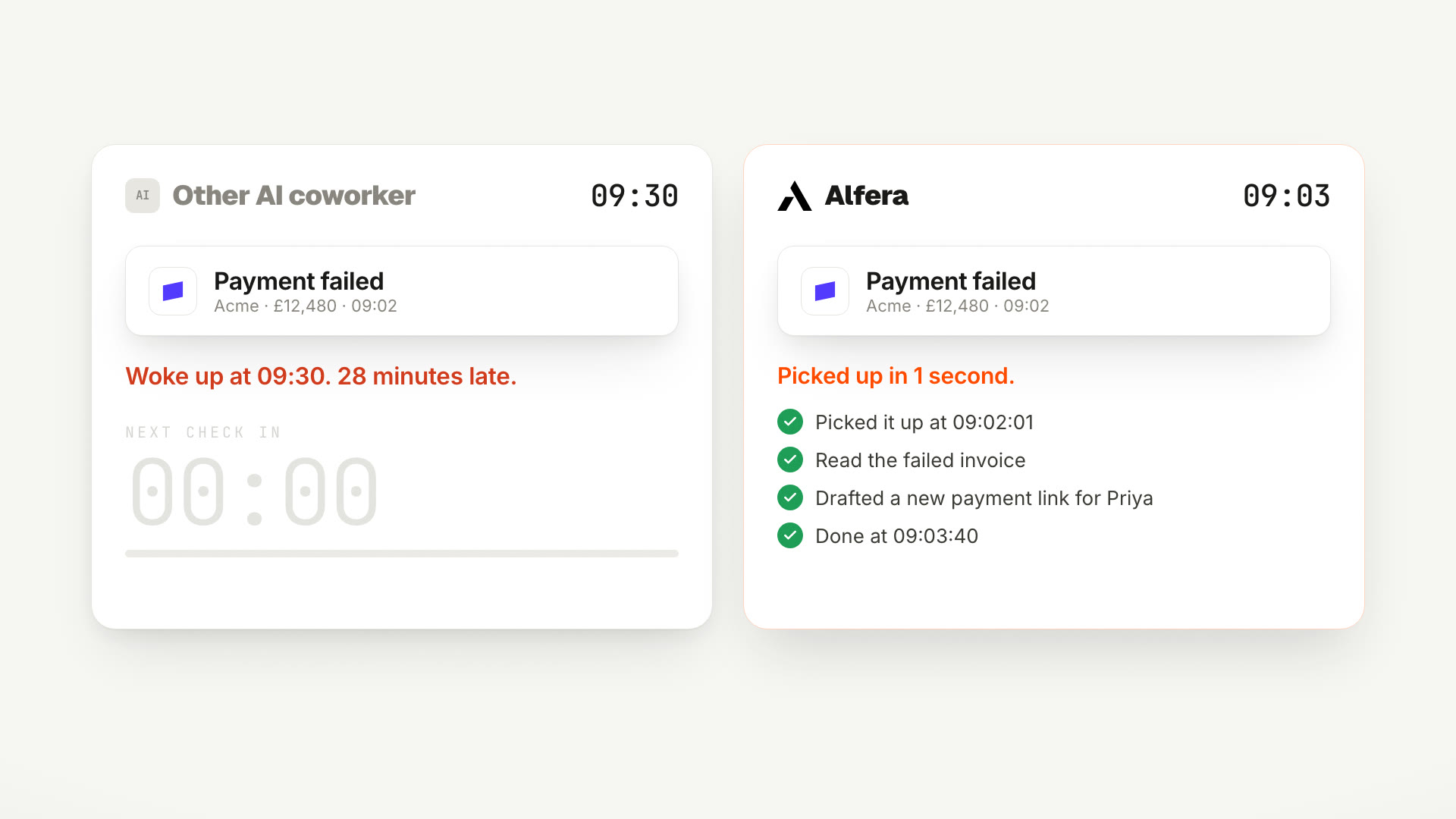
Most AI coworkers check for work every 30 minutes. Alfera starts the second a job lands, with 600+ triggers across 50+ apps live today.
OPOliviero PinottiFounder2 min read
Today is day 1 of Alfera Launch Week. Five days, five launches. We start with
the thing every other launch this week depends on: how work gets to your AI
coworker in the first place.
Most AI coworkers work like an employee who naps every 30 minutes.
They wake up. They check if anything happened. They go back to sleep.
That is not a figure of speech. Many AI coworkers run on open-source agent
frameworks that wake up on a heartbeat. OpenClaw, a popular one, does it every
30 minutes by default. Work that lands in between waits for
the next wake-up.
The nap has two costs:
Your customer waits. A failed payment at 9:02 is seen at 9:30.
You pay for nothing. A 30-minute timer wakes the agent 48 times a day, with or without work.
A deal moves in HubSpot. A payment fails in Stripe. A form lands in Typeform.
Someone writes in Slack. Tell Alfera what to do when it happens, and it starts
right away.
The trigger menu opens onto more than 600 triggers from more than 50 apps.
600+ triggers across 50+ apps are live
today. You can also start a job on a schedule, from a webhook in your own
systems, or by asking.
This is day 1 of 5. Follow the launch on
X, and try
Automations today at alfera.ai.
Questions people ask after this
What are Alfera Automations?
Jobs that Alfera, an AI coworker, runs on its own. You describe the job once in plain words and pick what starts it. From then on Alfera does the job every time that thing happens, and asks you before anything you should decide.
What is a trigger?
The event that starts a job. A time of day, a new email, a Slack message, a deal that moves in HubSpot, a payment that fails in Stripe, or a new form response. Alfera has more than 600 of them across more than 50 apps.
Which apps can start an Alfera automation?
Gmail, Outlook, Slack, HubSpot, Salesforce, Stripe, Shopify, Typeform, Calendly, Zendesk, Jira, Linear, Notion, Asana, ClickUp, Trello, GitHub, Google Drive, Google Sheets, Google Calendar and more, plus a schedule, a webhook from your own systems, and a manual run.
How fast does Alfera react?
Most apps send the event to Alfera the moment it happens, and Alfera starts within seconds. A few apps, such as Gmail and Salesforce, do not push events, so our trigger service checks them on a short timer. That check never runs the AI, so it never costs you a model run.
Why do other AI agents only check every 30 minutes?
Many AI coworkers run on open-source agent frameworks that wake up on a heartbeat. OpenClaw, a popular one, wakes up every 30 minutes by default, looks for new work, and goes back to sleep. Work that arrives in between waits until the next wake-up.
Does Alfera cost money when nothing is happening?
No. The AI only runs when a trigger fires and there is a job to do. An agent on a 30-minute timer wakes up 48 times a day whether or not there is work.
Can Alfera act without asking me?
It does the routine work on its own. Actions that cannot be undone, such as sending an email to a customer, wait for your approval, and you can approve with one tap in Slack.
How do I start?
Sign up at alfera.ai, connect the apps you use, and describe one job you do every week. Alfera sets up the automation with you in chat.